A Simple Budgeting App for NZ Households
MyFinance is a budgeting app built for New Zealand households. Download a CSV from your bank, import it, and see your spending, budgets, debt, investments and net worth — all in one place.
Your bank stays your bank.
My Finance never asks for your online banking login and never connects to your bank. You stay in control of exactly what gets imported.
Start without an account
No sign-up, no email, nothing to lose. Try My Finance right now — your data stays on your device.
Create an account when you're ready
An account syncs your data across devices and enables household sharing with a partner.
More than a budget app
All the pieces of your financial picture, together.
Spending
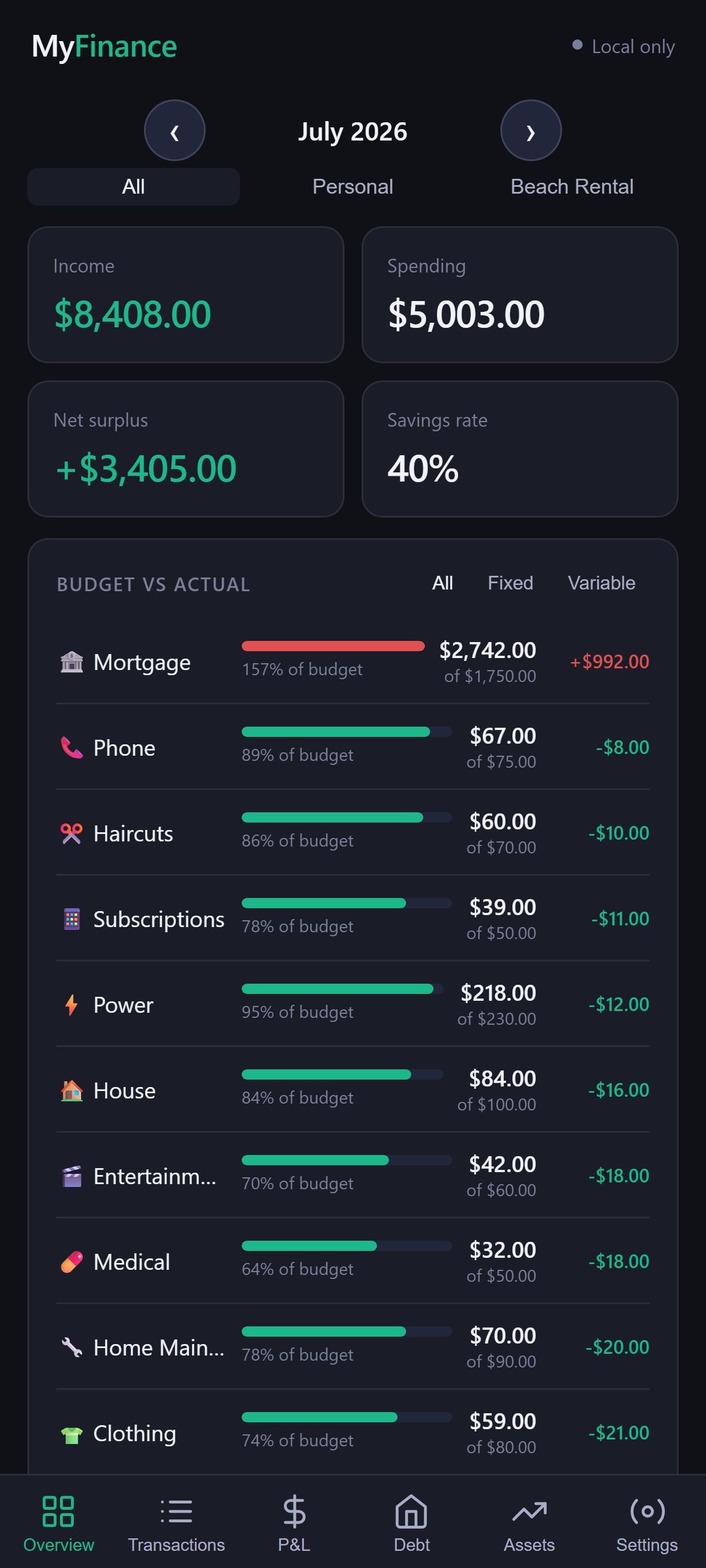
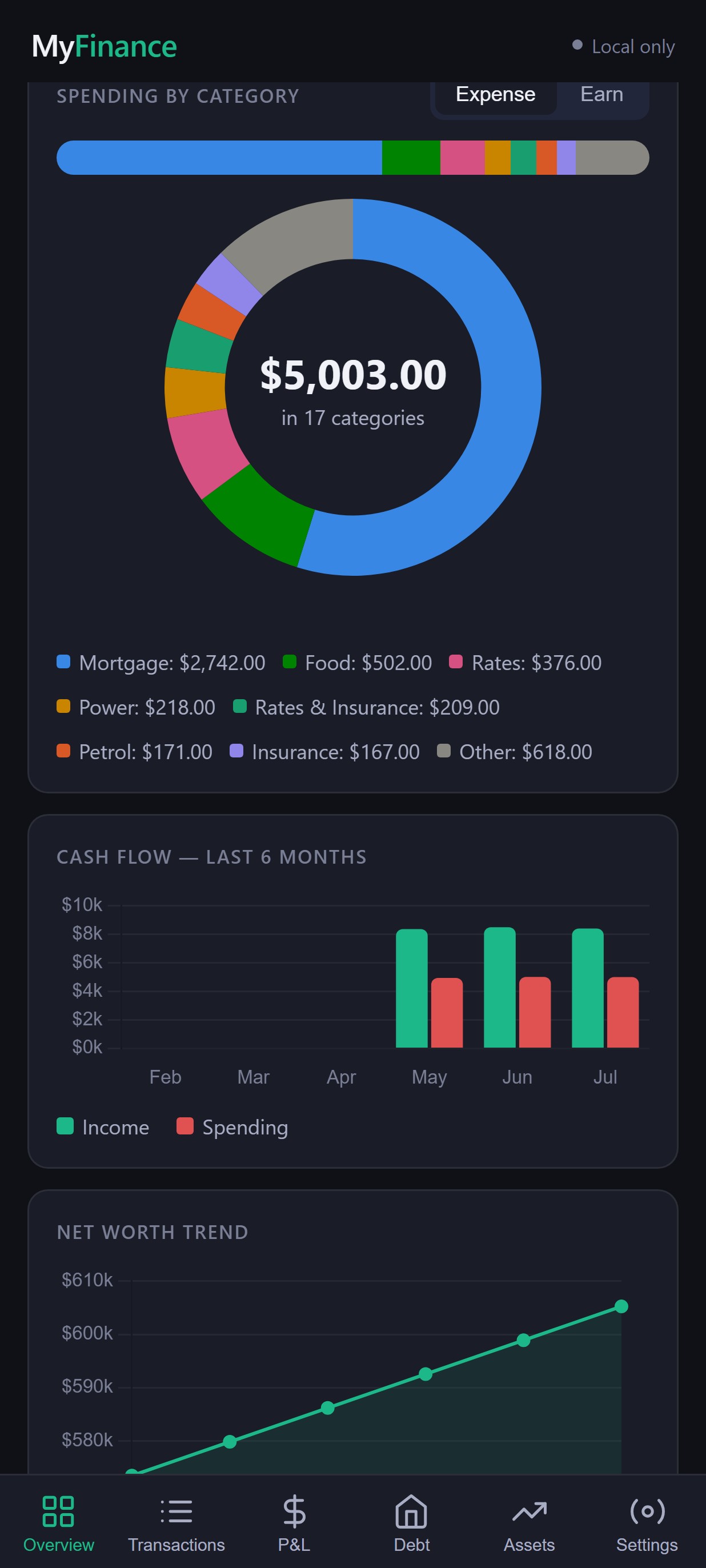
See exactly where your money goes each month, by category.
Budgets
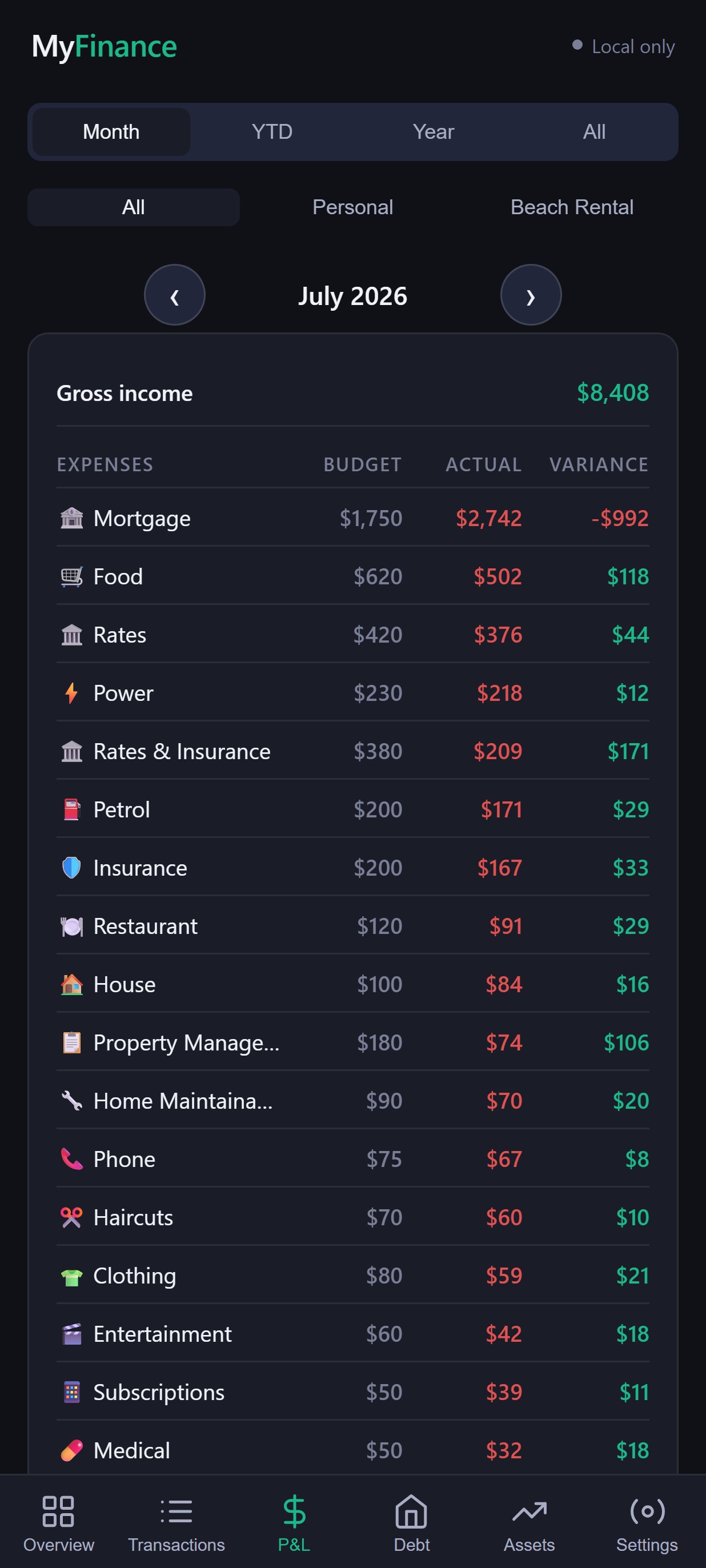
Set a monthly budget per category and track actual vs budget.
Recurring payments
Keep track of subscriptions and regular bills.
Net worth
Property, savings, investments and debt, combined into one number.
Investments
Track KiwiSaver, shares, ETFs, property and more.
Household sharing Pro
Invite a partner to share the same household's finances.
See your finances at a glance.
No mockups — this is My Finance, with a sample household's data.
Ready to see where your money is going?
Try My Finance free — no bank connection required.
From bank statement to financial insight
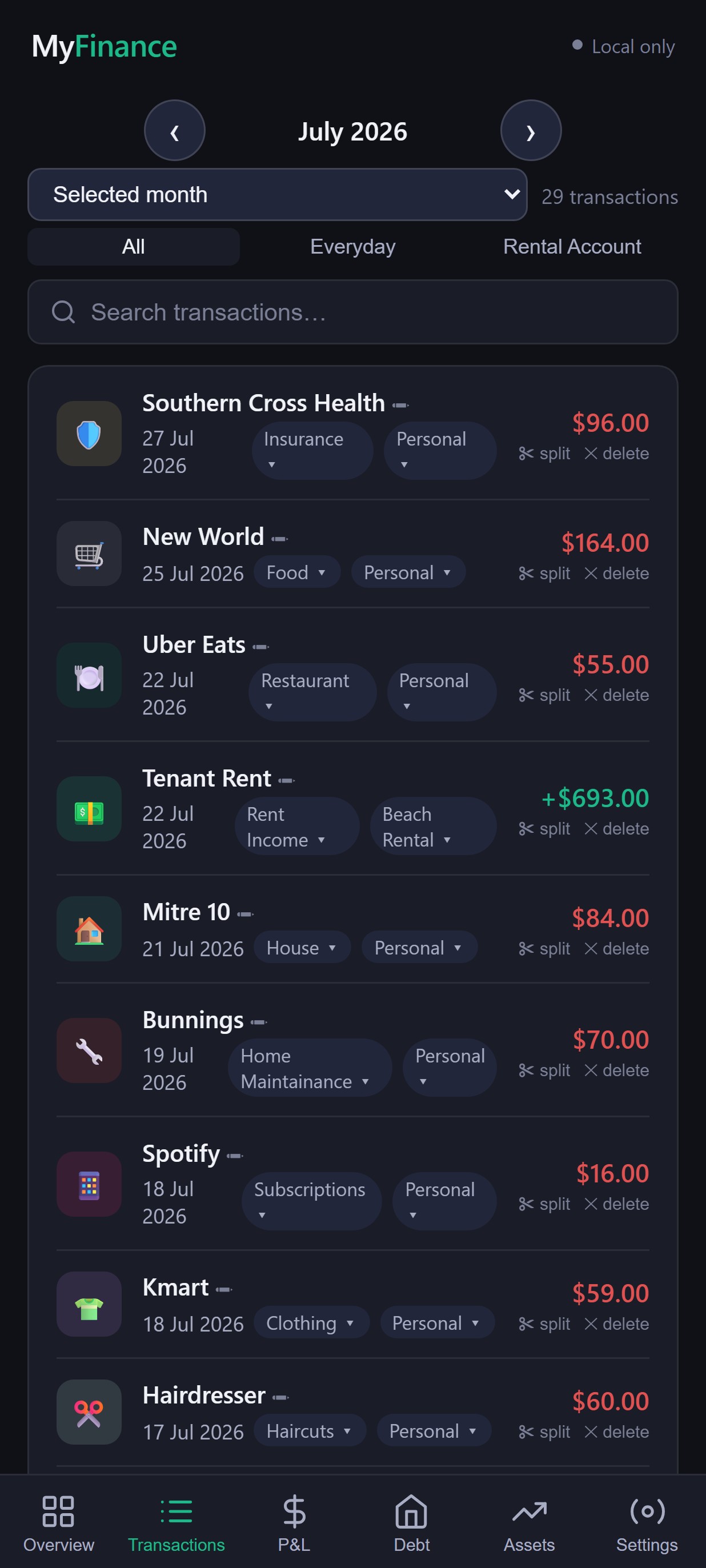
Categorise once. Let My Finance remember.
Add a rule once and every matching transaction is categorised automatically on future imports.
Made for New Zealand finances
NZ dollars
Every figure in the app is NZD.
NZ households
Mortgages, rates, KiwiSaver — the categories NZ households use.
NZ bank CSVs
Your bank's CSV export, recognised automatically.
Looking for a budget app in NZ? See why MyFinance is built for NZ households →
Take your finances with you
Check your budget on the bus, log a transaction at the till. Full My Finance, installed like a native app — or just use it in any browser.


Simple pricing. No surprises.
- ✓ Import & auto-categorise transactions
- ✓ Budgets, spending and P&L
- ✓ Up to 500 stored transactions
- ✓ Last 6 months of history
- ✓ Everything in Free
- ✓ Unlimited transaction history
- ✓ Household sharing
Your financial data is yours.
My Finance doesn't connect to your bank — you choose exactly what you import. Using the app locally, without an account, keeps your data in your browser only. Creating an account stores your data in a private database, accessible only to your household, so it can sync across your devices. Connections to the app are encrypted (HTTPS).
Built for people who want to understand their money.
Individuals
Get a clear picture of your own spending and savings.
Couples & families
Share one view of household finances with Pro.
People building wealth
Track investments, KiwiSaver and net worth over time.
Spreadsheet users
Get the same control, without maintaining the spreadsheet.
How it works
Frequently asked questions
Do I have to connect my bank?
No. My Finance never connects to your bank account. You download a CSV from your bank's internet banking and import it manually.
Which NZ banks are supported?
ANZ, ASB, BNZ and Westpac CSV exports are recognised automatically. Other banks can be imported with the generic CSV importer.
Is My Finance free?
Yes. The Free plan includes all core features, with up to 500 stored transactions and 6 months of visible history. Pro removes those limits and adds household sharing, for $4.99/month or $39.99/year NZD incl. GST.
Can my partner use it?
Yes — Pro lets you invite another person to share your household's data.
Can I use it on my phone?
Yes. My Finance works in any mobile browser and can be installed as an app on Android (via Google Play) or added to your home screen on iPhone.
What happens to my financial data?
If you use My Finance without an account, your data stays only in your browser. If you create an account, your data is stored in a private database accessible only to your household.
Can I cancel Pro?
Yes, any time — Pro billing is a standard monthly or annual subscription with no lock-in.
Can I export my data?
Yes. You can export your transactions to CSV at any time from Settings.
Do you have access to my bank account?
No. My Finance has no connection to your bank or its login details — it only ever sees the transactions you choose to import.